
1.152.189
kiadvánnyal nyújtjuk Magyarország legnagyobb antikvár könyv-kínálatát

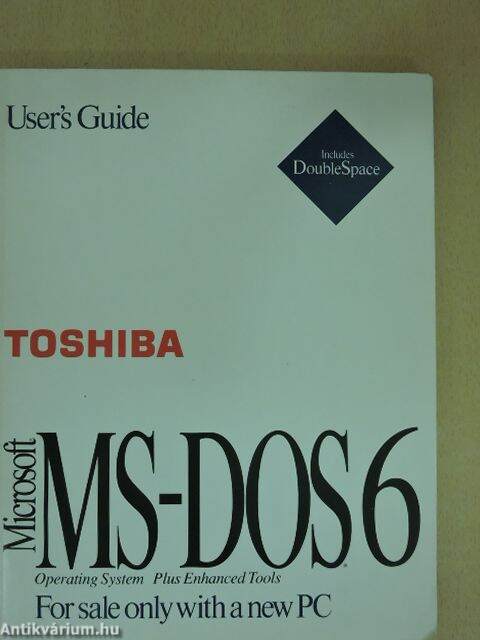
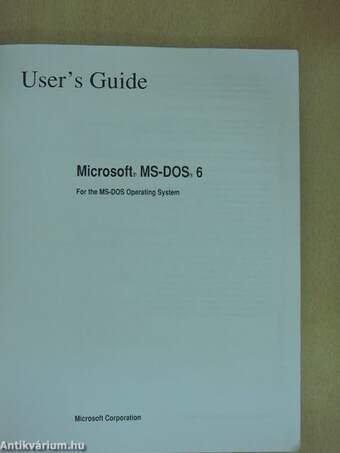
Microsoft MS-DOS 6 For the MS-DOS Operating System
User's Guide
| Kiadó: | Microsoft Corporation |
|---|---|
| Kiadás helye: | |
| Kiadás éve: | |
| Kötés típusa: | Ragasztott papírkötés |
| Oldalszám: | 266 oldal |
| Sorozatcím: | |
| Kötetszám: | |
| Nyelv: | Angol |
| Méret: | 23 cm x 18 cm |
| ISBN: | |
| Megjegyzés: | Felhasználói kézikönyv. Néhány fekete-fehér illusztrációval. |
Értesítőt kérek a kiadóról
A beállítást mentettük,
naponta értesítjük a beérkező friss
kiadványokról
naponta értesítjük a beérkező friss
kiadványokról
A beállítást mentettük,
naponta értesítjük a beérkező friss
kiadványokról
naponta értesítjük a beérkező friss
kiadványokról
Előszó
Welcome
Welcome to Microsoft® MS-DOS the most widely used operating system for personal computers. MS-DOS 6 includes many new features that turn your computer into a powerful tooi for business... Tovább
Előszó
Welcome
Welcome to Microsoft® MS-DOS the most widely used operating system for personal computers. MS-DOS 6 includes many new features that turn your computer into a powerful tooi for business or personal use. These features are described in detail later in this introduction.
If MS-DOS 6 is not yet set up on your computer, see the chapter "Getting Started" for information about how to use the Setup program.
This introduction to the Microsoft MS-DOS 6 User s Guide includes a list of the printed and online documentation included with MS-DOS 6, an introduction to new and improved MS-DOS 6 features, and a list of the typographie conventions used in this guide.
About Your MS-DOS Documentation
MS-DOS 6 documentation consists of the Microsoft MS-DOS 6 User s Guide, MS-DOS Help, and several other online documents.
This guide includes information for users who have little experience with computers, in addition to advanced topics for those who are familiar with MS-DOS. You can use the detailed table of contents and index to find information about the features you work with most often.
MS-DOS Help is an online référencé to MS-DOS commands. The référencé includes information about how to type commands and their parameters and switches, notes about commands, and examples of how to use commands.
After you've set up MS-DOS 6 on your computer, you can display the MS-DOS Help table of contents by typing help at the command prompt and then pressing ENTER. You can also get information about a command without displaying the table of contents. For example, to display information about the copy command, type help copy at the command prompt.
For more information about using MS-DOS Help, see the chapter "MS-DOS Basics." Vissza
Tartalom
Contents
Welcome ix
About Your MS-DOS Documentation ix
New Features of MS-DOS 6 x
Conventions xiii
Document Conventions xiii
Keyboard Conventions xiii
Chaptert Getting Started 1
Running Setup 1
Configuring Anti-Virus, Backup, and Undelete for Windows 1
Chapter2 MS-DOS Basics 3
Learning MS-DOS Basics—A Tutorial 3
The Command Prompt 4
Typing a Command 4
Viewing the Contents of a Directory 5
Changing Directories 6
Changing Back to the Root Directory 8
Creating a Directory 8
Deleting a Directory 10
Changing Drives 11
Copying Files 13
Renaming Files 17
Deleting Files 19
Formatting a Floppy Disk 21
Summary 22
How MS-DOS Organizes Information 23
Files 23
Directories 23
Drives 25
Using Paths to Specify the Location of Files 26
Naming Files and Directories 27
Using Extensions 28
Using Wildcards 28
Getting Help 29
Using MS-DOS Help 30
Using Command Line Help 32
MS-DOS Shell 32
Using MS-DOS Shell Help 34
Chapter 3 Managing Your System 35
Backing Up Your Files 36
Overview of Backup 36
Ensuring a Reliable Backup 42
Using Backup 43
Running the Compatibility Test 47
Configuring Backup 49
Comparing Files 52
Restoring Files 53
If the "DMA buffer size too small" Message Appears 55
Protecting Your Computer from Viruses 56
What Are Computer Viruses? 56
Anti-Virus Help 57
Scanning for Viruses 57
Automatically Scanning for Viruses 61
Setting Anti-Virus Options 62
Getting Information About Viruses 62
Using VSafe 64
(Cl
Troubleshooting Anti-Virus
Using SMARTDrive 73
74
Using the Défragmenter
Recovering Deleted Files 7
Configuring Delete Protection 75
Undelete for Windows
Undelete for MS-DOS 80
83
Chapter 4 Configuring Your System
Using CONFIG.SYS Commands to Configure Your System 84
84
Editing Your CONFIG.SYS File
CONFIG.SYS Commands 85
87
Configuring Hardware Devices
Determining the Order of CONFIG.SYS Commands 89
Sample CONFIG.SYS Files 90
Specifying Startup Commands in Your AUTOEXEC.BAT File 91
Editing Your AUTOEXEC.BAT File 91
AUTOEXEC.BAT Commands 92
Sample AUTOEXEC.BAT Files 93
Bypassing CONFIG.SYS and AUTOEXEC.BAT Commands 95
Completely Bypassing Your Startup Files 95
Confirming Each CONFIG.SYS Command 96
Using Multiple Configurations 97
Overview of Procédures 97
Defining a Startup Menu 99
Defining Configuration Blocks 100
Modifying Your AUTOEXEC.BAT File for Multiple Configurations 103
Chapter 5 Freeing Disk Space 105
Deleting Unnecessary Files 106
Using Chkdsk to Free Disk Space 108
Increasing Disk Space by Using DoubleSpace 109
Getting Help 110
Setting Up DoubleSpace 110
Understanding Disk Compression 115
Using DoubleSpace to Manage Compressed Drives 117
Compressing Additional Drives 121
Using DoubleSpace with Floppy Disks 123
Getting Information About Compressed Drives 125
Understanding DoubleSpace and Memory 126
Troubleshooting DoubleSpace 127
Chapter 6 Making More Memory Available 129
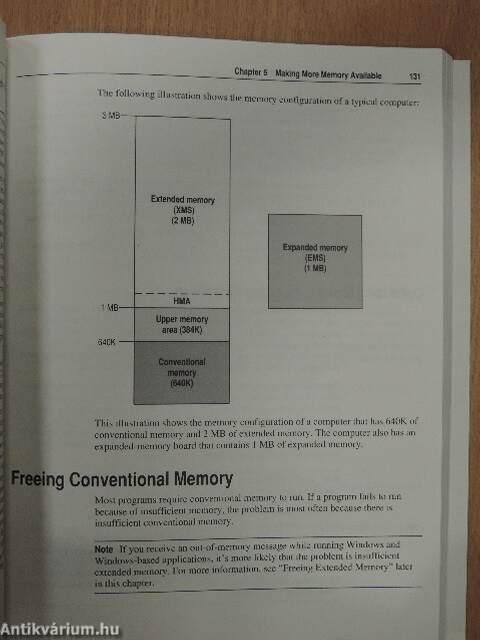
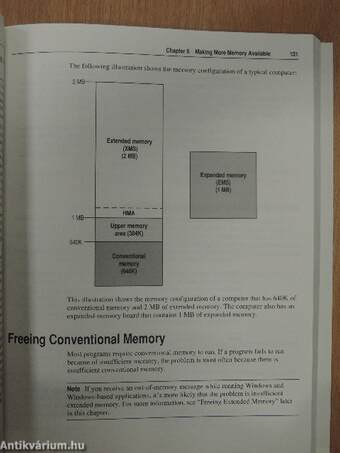
Identifying Your Computer's Memory Configuration 129
Freeing Conventional Memory 131
Optimizing Memory by Using MemMaker 132
Streamlining Your CONFIG.SYS and AUTOEXEC.BAT Files 154
Running MS-DOS in the High Memory Area 155
Freeing Extended Memory 156
Freeing Expanded Memory : 157
Using MS-DOS Memory Managers 158
Using the EMM386 Memory Manager 159
Chapter 7 Features for Your Laptop Computer 161
Using Interlnk to Connect Two Computers 161
What You Need to Use Interlnk 163
Establishing a Connection Between Computers 165
Breaking the Connection Between Computers 165
Using the Remote Copy Procedure 165
Conserving Power on Your Laptop Computer 166
Chapter 8 Diagnosing and Solving Problems 169
Troubleshooting During Setup 170
Setup displays the "Incompatible Partition" screen 170
Setup displays the "There is not enough free space on drive C to
install MS-DOS" screen 170
You need to copy Setup files directly to your computer 170
Troubleshooting While Running MS-DOS 171
A message states that HIMEM.SYS is missing or not loaded 172
You installed a hardware device, and your computer stopped working
correctly 175
MS-DOS Shell won't start or switch between programs 177
You need to restore files you backed up by using an earlier version
of the backup command 179
An MS-DOS-based program displays an out-of-memory message 179
Using Fdisk to Configure Your Hard Disk 181
Configuring Your Hard Disk 181
Chapter 9 Customizing for International Use 195
Changing Country-Specific Conventions 196
Changing the Keyboard Layout 196
Changing Character Sets 197
An Overview of the Procedures for Changing Character Sets 199
Preparing Your Monitor for Character Sets 200
Loading National Language Support for Character Sets 201
Loading a Character Set into Memory 201
Making a Character Set Active 202
Viewing Information About Character Sets 203
Country, Keyboard, and Character Set Codes 204
Configuring Your Computer for International Use 206
Example: Changing Ail Your Country-Specific Settings 206
Explanation of Error Messages 208
You receive the "Code page specified has not been prepared" message 208 You receive the "Invalid code page" message 209
You receive the "Code page opération not supported on this device"
message 209
You receive the "Code page number not prepared for all devices"
message 209
You receive the "Failure to access code page font file" message 210
You receive the "Font file contents invalid" message 210
You receive the "Device error during prepare" message 210
Appendix A Summary of MS-DOS Commands 211
MS-DOS 6 Commands 211
Device Drivers 220
Commands That Cannot Be Used with Windows 221
Commands Used in CONFIG.SYS Files 221
Commands Used in Batch Programs 221
Commands Used to Change International Settings 222
Appendix B Accessibility to MS-DOS for Individuals with Disabilities 223
Support Services for Individuals Who Are Deaf or Hard-of-Hearing 223
AccessDOS Features 224
Keyboard Layouts for Single-Handed Users 225
Documentation on Audio Cassettes and Floppy Disks 226
Getting More Information About Products and Services 227
Appendix C Keyboard Layouts and Character Sets 229
Keyboard Layouts 229
Using Keys That Have More Than Two Characters on Them 236
Creating Accented Characters on a Brazilian Keyboard 236
Character Set (Code Page) Tables 237
Appendix D Obtaining New Virus Signatures 245
Updating Your Virus Signatures 245
Index 249
Coupon for the Resource Kit and Supplemental Disks
Coupon for Anti-Virus Updates
The Authorized Editions on MS-DOS from Microsoft Press
Témakörök
Megvásárolható példányok
Állapotfotók



A borító enyhén elszíneződött, a lapélek foltosak.
Állapot:
Jó
1.540 Ft
770 ,-Ft 50
4
pont kapható
Kosárba
 Folytatás Microsoft-tal